Playbook
Dedicated AI collaborator account
Use a separate RTM identity for your AI assistant so collaboration is explicit, traceable, and easier to manage safely.
Why this model works
- Clear attribution: assistant notes and actions come from its own account.
- Tighter control: share only lists/projects where assistance is needed.
- Safer defaults: keep destructive actions disabled unless explicitly approved.
Suggested setup
- Create a separate RTM account for the assistant.
- Connect that account in milkbridge and generate an API key.
- Share only selected lists/tasks with the assistant account.
- Use assignment and/or a dedicated tag to route work.
- Require summary updates and keep a conservative guardrail policy.
Guardrails
- Default to research and notes only.
- Do not complete/delete tasks unless explicit permission is granted.
- Respect ownership and list boundaries.
- Operate on tagged or assigned tasks first; use list scan for context only.
Full disconnect (important)
Disconnecting in milkbridge is only step 1. To fully remove access, revoke the app in RTM settings.
- Disconnect in the milkbridge dashboard.
- Open RTM Apps settings: https://www.rememberthemilk.com/app/#settings/apps
- Find milkbridge in the app list and click Revoke access.
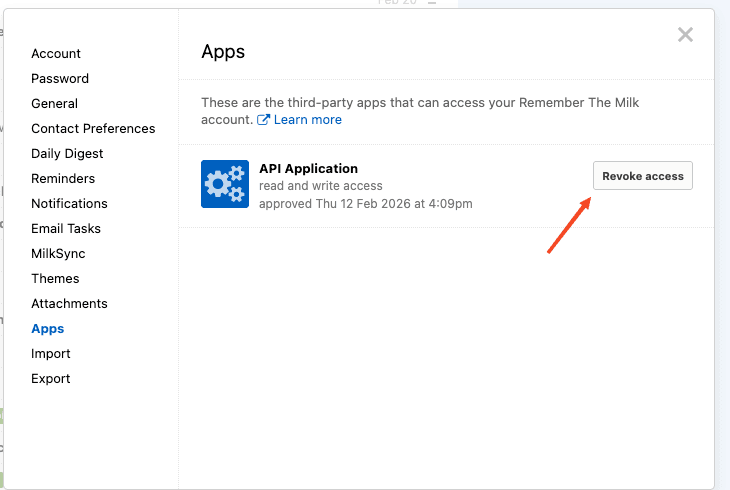
This is the final step required for full revocation.